Identity Management Concept Guide
Note
The integration with identity management systems is only available in the Enterprise edition.
Enterprise organizations usually operate multiple internal and external systems. Imagine a company with over 100 employees working daily with emails, CRM, ERP, internal tools, and various third-party platforms. If each system requires its own credentials, managing access can get overwhelming. People forget passwords, access isn’t removed promptly, and manual processes increase security risk.
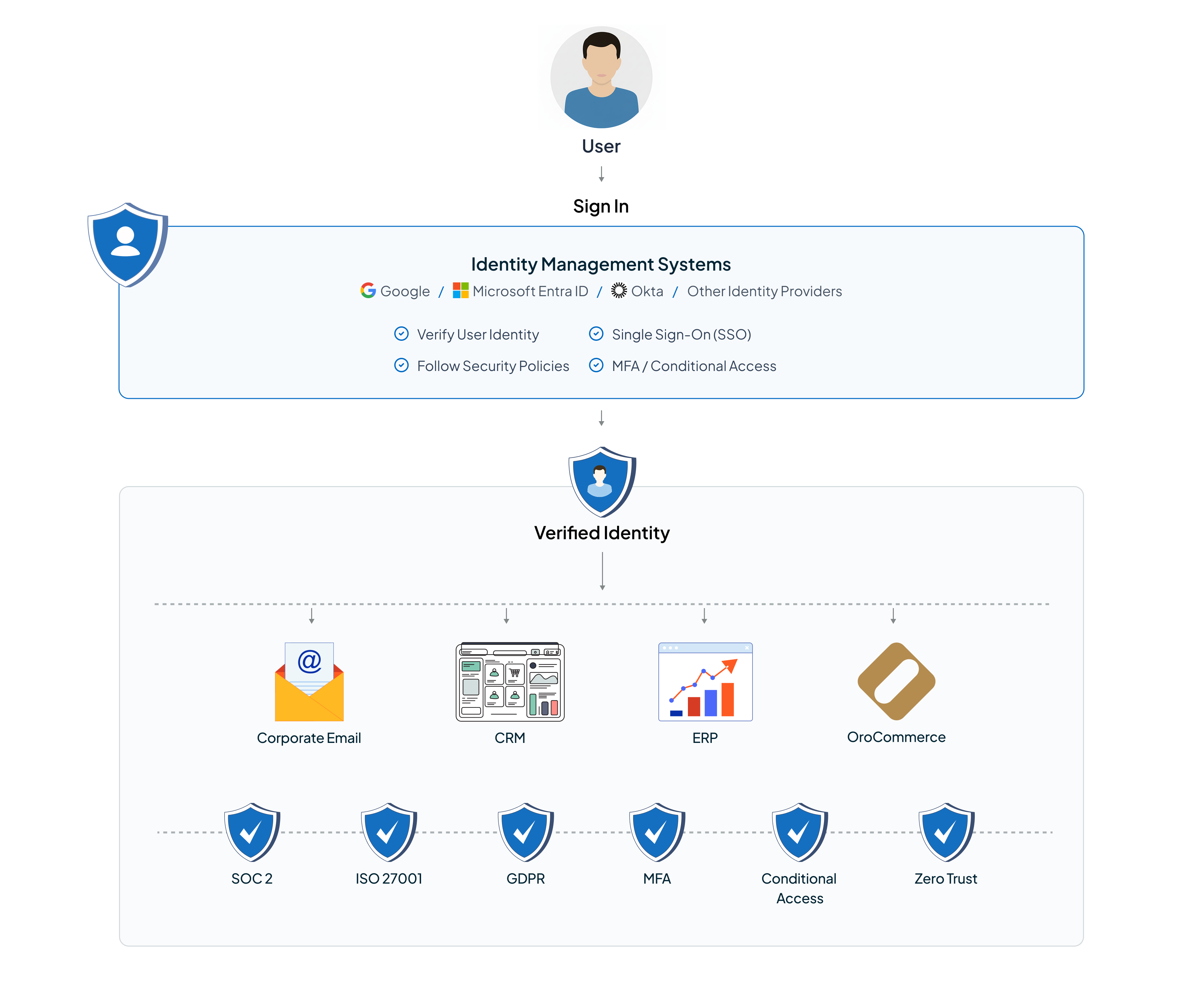
Identity Management Systems are designed to remove this complexity. They centralize how users are authenticated, how access is granted, and how it is removed. Instead of managing users separately in every application, companies manage identities once and securely connect all platforms to that central system.
The OroCommerce platform integrates with identity management systems such as Google, Microsoft Entra ID, and Okta to become part of this centralized identity ecosystem. This helps organizations make access management easier, follow security policies, and provide a smooth login experience for both customer and back-office users.
Identity Management Systems and Their Benefits
Identity Management Systems, such as Google, Microsoft Entra ID, and Okta act as centralized hubs for identity and access management. Their primary purpose is to ensure that the right people have the right level of access to the right systems at the right time.
Without an identity management system, companies often face security chaos:
Employees manage multiple passwords
Access remains active after people leave
IT teams spend significant time handling access requests and password resets.
With an identity system in place, a single login provides access to corporate email, CRM, ERP, and various B2B platforms such as OroCommerce. Passwords are not duplicated across systems, and support requests like “I forgot my password” are significantly reduced.
For OroCommerce, the integration with identity management systems brings clear advantages:
It enables personalization based on user roles and attributes
Reduces responsibility for password storage
Simplifies enterprise onboarding
Supports security policies, compliance, and trust requirements, such as SOC 2, ISO 27001, GDPR, and MFA
Integration Models Supported by OroCommerce
The Oro application supports identity management integrations through two standard mechanisms: SCIM user provisioning and Single Sign-On. These mechanisms are independent and can be combined or used separately, depending on how an organization manages its users.
SCIM User Provisioning
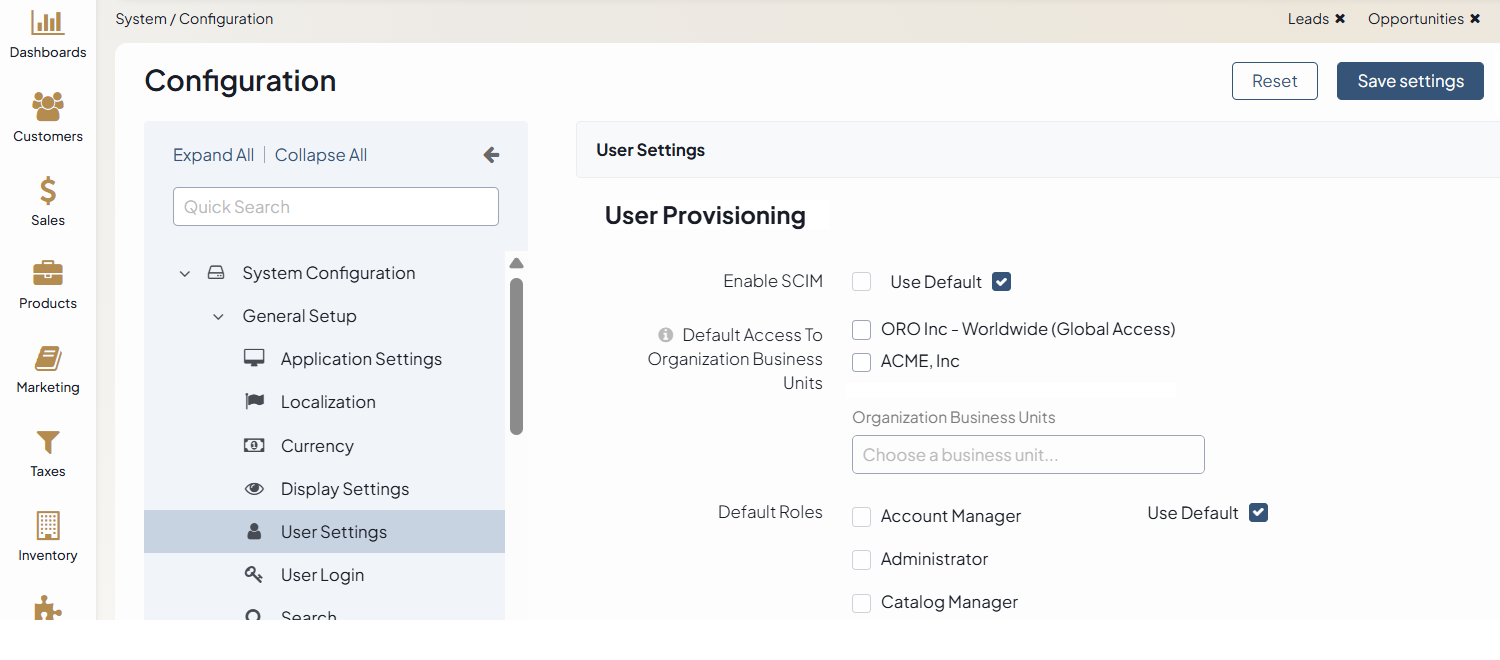
SCIM (System for Cross-domain Identity Management) enables automatic import and synchronization of users from an identity management system to the Oro application. In this model, the identity provider controls what happens to users in the system. If a user is created, updated, or removed in the identity provider, the same will automatically happen in the Oro application. The identity provider always decides who can access the application and what their status is.
A typical enterprise scenario looks like this: An admin adds a new employee in Google, Okta, etc., and access to the Oro application appears automatically. When the admin removes the employee, access is revoked everywhere, including the Oro application. This automation eliminates manual user management and ensures that access is always up to date.
SCIM provisioning is especially helpful when the Oro application does not have any users from the identity system yet. It lets organizations add users to the platform quickly and ensures that user accounts always match what is in their identity provider. This means IT keeps full control using their existing systems. In large organizations, automated provisioning is essential for security, not just convenience.
Note
For more details on how to configure the SCIM user provisioning in OroCommerce, read the related SCIM user provisioning documentation.
Single Sign-On (SSO) Integration
The Oro application supports integration with OpenID Connect (OIDC) to enable Single Sign-On (SSO) through third-party identity providers such as Okta, Microsoft Entra ID, Google, and other systems that support the OpenID Connect standard.
Note
Only the systems that return the email field in the ID token are supported. This field is required to map an Oro User or Customer User to the corresponding external account.
Single Sign-On enables users to access the Oro application with their corporate identity credentials, simplifying the login process across multiple systems, like email, CRM, ERP, and Oro itself. SSO does not automatically create users during login. Instead, it provides a secure way for the users who already exist in the Oro application to sign into the system. This way, authentication is delegated to the identity provider, and the Oro application receives a verified identity instead of handling passwords directly.
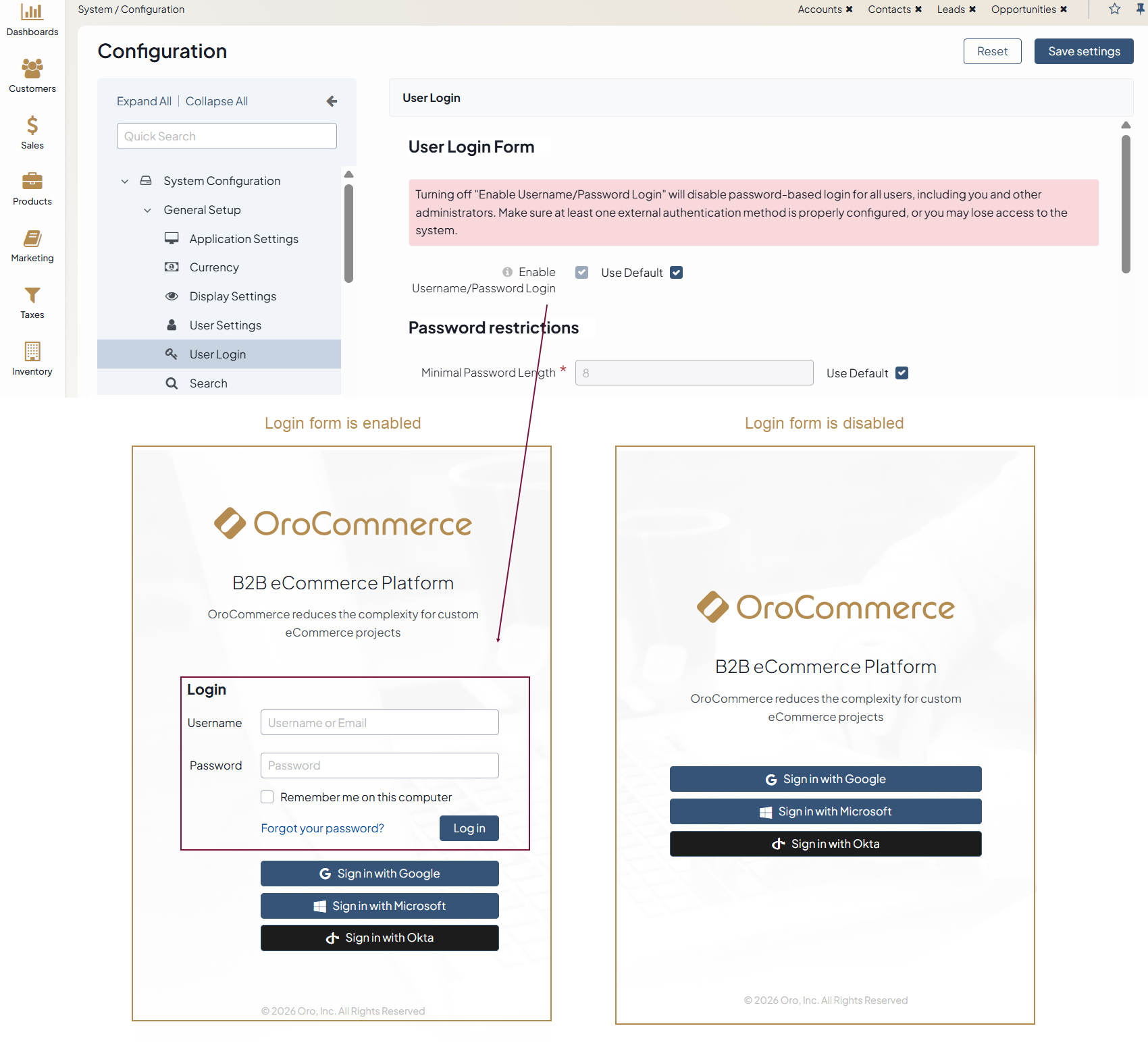
Administrators can decide whether to offer SSO alongside traditional login and password authentication or to hide the login form entirely and allow access only through SSO, depending on corporate security requirements.
Note
More details on how to configure the user login form are described in the Configure Global User Login Settings documentation. Before disabling this option, Oro administrators must make sure that at least one external authentication method is properly set up. Otherwise, they may lose access to the system.
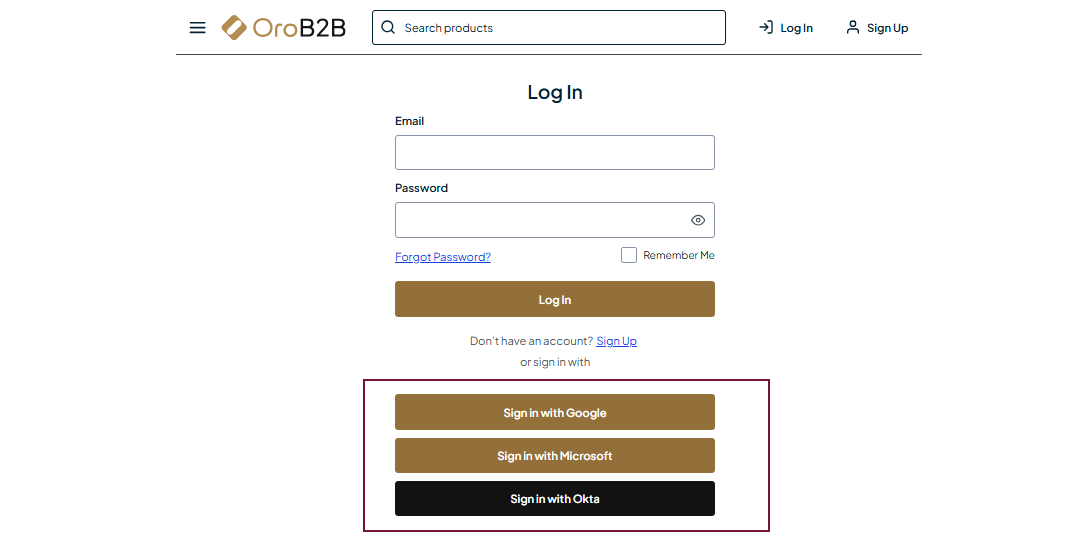
OroCommerce supports SSO for both back-office and customer users. It is helpful when the customer organization already relies on a corporate identity provider to authenticate employees across internal systems and requires its employees to access OroCommerce using the same corporate credentials.
Note
For more details on how to configure the OpenID Connect Integrations in OroCommerce, read the related OpenID Connect documentation.
Using SSO Without SCIM (and Vice Versa)
SSO and SCIM are not mutually dependent. If users are already configured in the Oro application, importing them again via SCIM is unnecessary. In such cases, administrators can configure only SSO, allowing existing users to authenticate through the identity provider without changing how users are managed internally.
Less commonly, SCIM can be used without SSO. This approach allows users to be synchronized from the identity system while continuing to authenticate using Oro-managed credentials. Although this model is supported, most enterprise customers prefer to combine provisioning with SSO for stronger security and simpler operations.
Combined Integration
The best way to connect systems is to combine SCIM provisioning with SSO authentication. In this setup, the identity management system controls both who exists in the platform and how users sign in.
User roles, groups, departments, and other attributes can be passed from the identity provider and mapped to roles within the OroCommerce application. This way, roles such as Sales, Admin, or Catalog Manager are centrally managed by the customer, not manually maintained inside the Oro application. Oro uses this information and applies it to its own permission model (Sales Manager, Administrator, or Catalog Manager).
This combined approach minimizes manual effort, reduces security risks, and ensures that access to the platform is always aligned with the organization’s internal policies.
Related Articles