Enable Entity Pagination
To enable entity pagination, add the entity_pagination option to the datagrid options.
When enabled, the session collects entity identifiers on the first visit to a view or edit page of any entity from the specified grid. These identifiers then generate the links to the previous and next entities on the page.
The datagrid must also have a column with the same name as the entity identifier field used to collect identifiers. View and edit page routes must have a parameter with the same name.
Example
Suppose you want to enable pagination for the User entity, whose identifier column is called “id”.
The datagrid must have an
entity_paginationoption in the configuration:
The datagrid has an identifier column in the result:
The User view page route has an identifier column in route parameters:
#[Route(path: '/question', name: 'acme_demo_question_')]
class QuestionController extends AbstractController
{
    #[Route(path: '/view/{id}', name: 'view', requirements: ['id' => '\d+'])]
    public function viewAction(Question $entity): array
    {
        return [
            'entity' => $entity,
        ];
    }
}
System Configuration
Two system configuration options control the pagination process. Find them under System Configuration > General Setup > Display Settings > Data Grid Settings.
Record Pagination, default is true, key _oro_entity_pagination.enabled_ — enables or disables entity pagination across the system.
Record Pagination limit, default is 1000, key _oro_entity_pagination.limit_ — sets the maximum number of entities in the grid for entity pagination. If the grid holds more entities than the limit, entity pagination is unavailable.
Backend Processing
When a user navigates from a grid with entity pagination enabled to a view or edit page, the grid parameters (filters, sorters, and so on) pass as URL parameters in the browser address bar. The entity pagination storage data collector then queries all records matching these grid parameters, respecting ACL permissions (for example, the edit ACL might be stricter than view).
The storage has two scopes for collecting data: one for view pagination entity identifiers and one for edit pagination entity identifiers. The collector fills the view or edit scope depending on which page the user visited.
If the record count exceeds the Record Pagination limit, the collector sets an empty array for that scope. If the storage already has data for the current scope and grid parameters, the collector does not send another request to get records.
After switching back to the datagrid, both storage scopes are cleared.
Entity pagination navigation uses EntityPaginationController actions. Each action checks whether the pagination identifier is available and accessible.
During pagination over entities, a different user can delete some entities from the current scope. When this happens and another user navigates to that entity, they see the not_available message and then the next available entity. If the ACL permission for the entity in the current scope changes and a user navigates to that entity, the not_accessible message appears.
Unavailable or inaccessible entities are deleted from the storage, the entity identifier count refreshes, and the stats_number_view_%count% message appears.
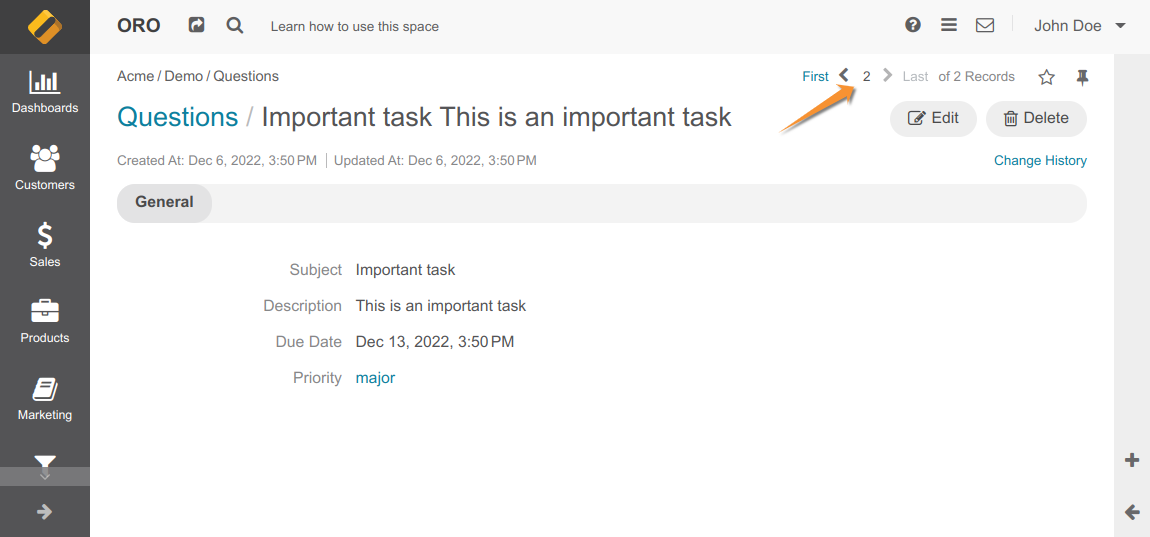
The default entity view has a placeholder for adding an entity pagination section. When a user opens the entity view page, this section shows pagination details (<M> of <N> entities, plus links to the first, previous, next, and last entities) taken from the user session for the current entity type.