Important
You are browsing upcoming documentation for version 7.1 of OroCommerce, scheduled for release in 2027. Read the documentation for the latest LTS version to get up-to-date information.
See our Release Process documentation for more information on the currently supported and upcoming releases.
Configure Customer Settings per Customer Group
The Customer Settings configuration page brings together several settings that apply to storefront customers and how they can obtain product information. This section covers two groups of settings available here at the customer group level:
Product Data Export — Controls whether registered customer users of this group can export products, their prices, and price tiers into a .csv file from the storefront product collection and search results pages.
Customer Part Number — Controls whether customer part numbers are displayed to customers in this group in the storefront.
You can configure these settings globally, per organization, website, customer group, and customer.
Hint
In addition to configuring product grid export on the configuration levels mentioned above, you can mark “simple” fields of a product as Exportable. You can also mark a price attribute as Enabled in Product Export. The exportable setting is available for all “simple” fields (scalar values and select/multi-select enums) of the product entity. Export is not allowed for relations, other complex fields (“WYSIWYG”, attachments, etc.), and entityfallback-type fields. Please note that the product name is always included in the export.
To configure customer settings per customer group:
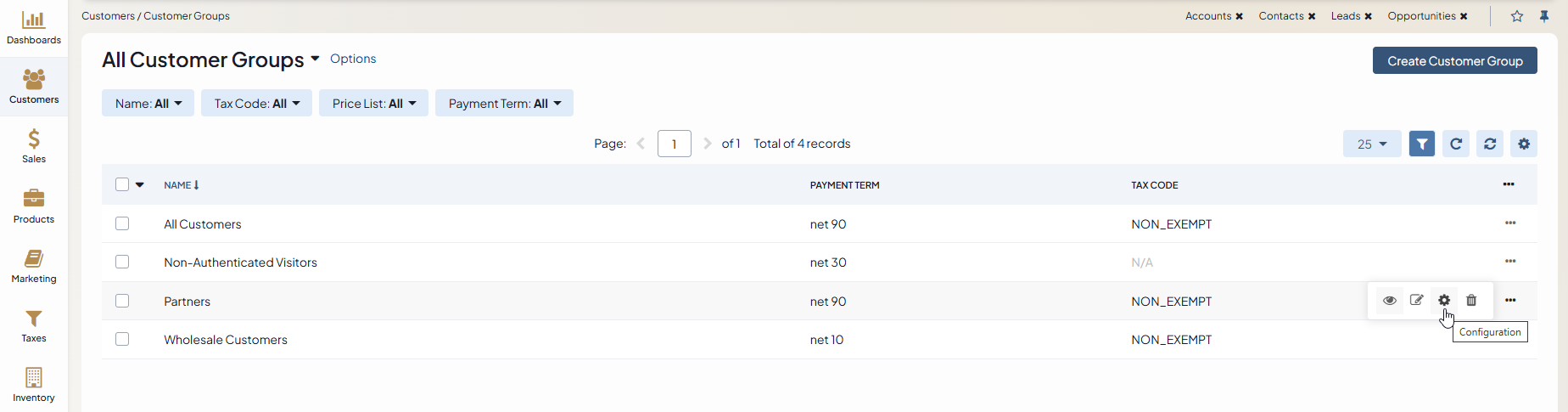
Navigate to Customers > Customer Groups in the main menu.
For the necessary customer group, hover over the More Options menu to the right of the necessary group and click the Configuration icon to start editing the configuration.
Select Commerce > Product > Customer Settings in the menu to the left.
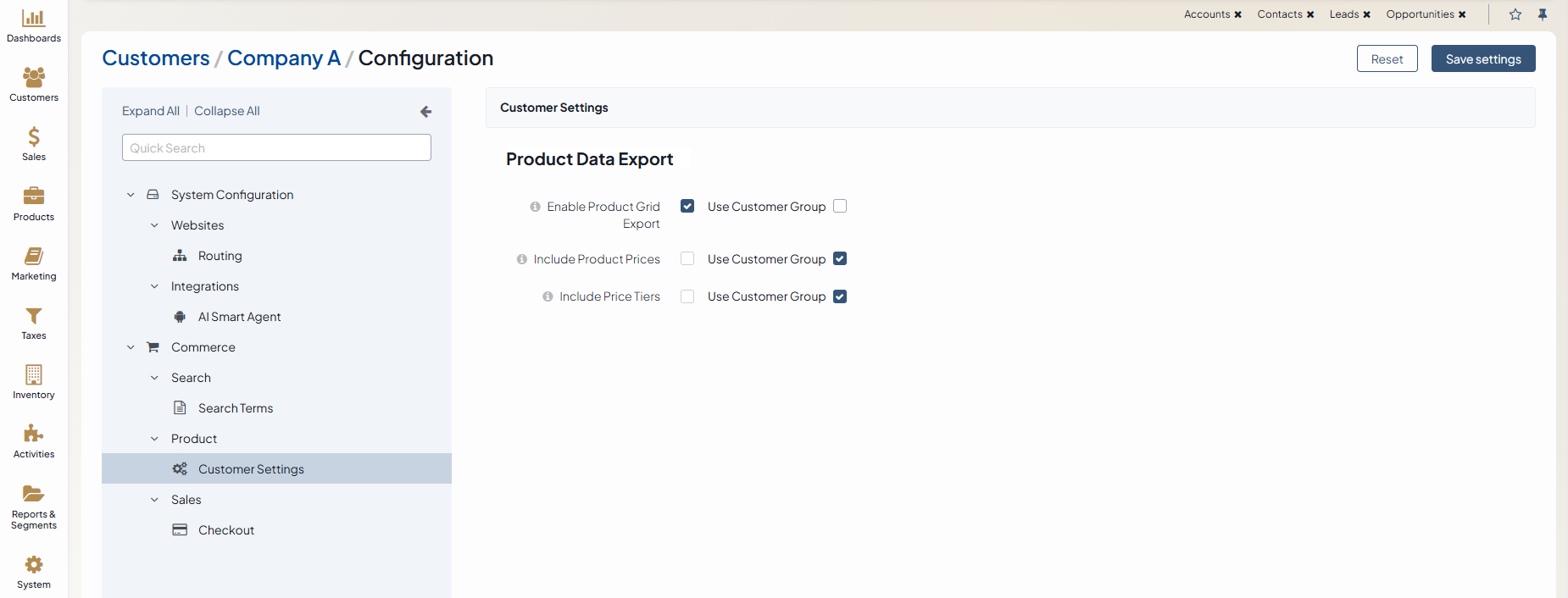
Under Product Data Export, enable the following options by clearing the Use Website checkbox next to the required option:
Enable Product Grid Export — Enable this option to allow customers in the storefront to export selected product data. Once you enable this option and click Save Settings at the top right, options Include Product Prices and Include Price Tiers will be displayed.
Include Product Prices — Enable this option to add product prices to the exported product data file. Data will be displayed only for the primary unit, minimum quantity, and the currency currently selected in the storefront.
Include Price Tiers — Enable this option to include price tiers in the exported product data file, if available. Product units will be omitted in the exported file if they have no price.
Under Customer Part Number, enable the following option by clearing the Use Website checkbox:
Display Customer Part Numbers In The Storefront — Enable this option to let customers view their own part numbers in the storefront (e.g., on the product listing, search results, and product details pages), as well as create, delete, and filter by them. This option has no effect on its own unless option Enable Customer Part Numbers is enabled on the global level.
Click Save Settings.