Configure OroIQ Settings per Organization
Note
The OroIQ feature is available as of OroCommerce version 7.0.2.
Hint
Please contact our support team to learn more about OroCommerce AI features, discuss how they can meet your business needs, and get started with implementation.
OroIQ is an AI-powered assistant designed to help users analyze data and perform back-office operations in the OroCommerce Enterprise application using natural language. Once the OroIQ assistant is installed in the Oro application, it can be enabled globally and per organization.
Important
Select the Enable API option under System Configuration > General Setup > Application Settings > Web API first. OroIQ depends on this API to function.
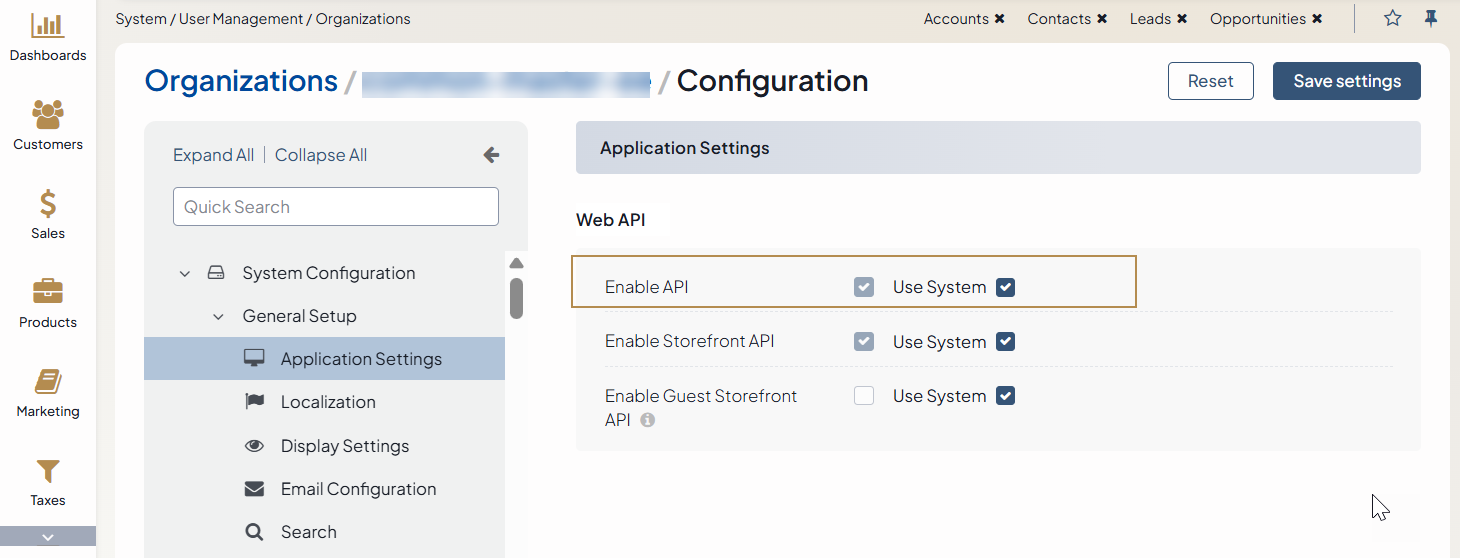
To enable OroIQ per organization, do the following:
Navigate to System > User Management > Organizations in the main menu.
For the necessary organization, hover over the More Options menu at the end of the row and click to start editing the configuration.
Click System Configuration > Integrations > OroIQ in the menu to the left.
In the OroIQ section, clear the Use System checkbox and select the Enable OroIQ checkbox to enable the assistant.
Click Save Settings.