Manage Invoices in the Storefront
The Invoices feature enables customer users to view, download, and pay invoices directly in the OroCommerce storefront. The feature supports one-click payments for individual invoices.
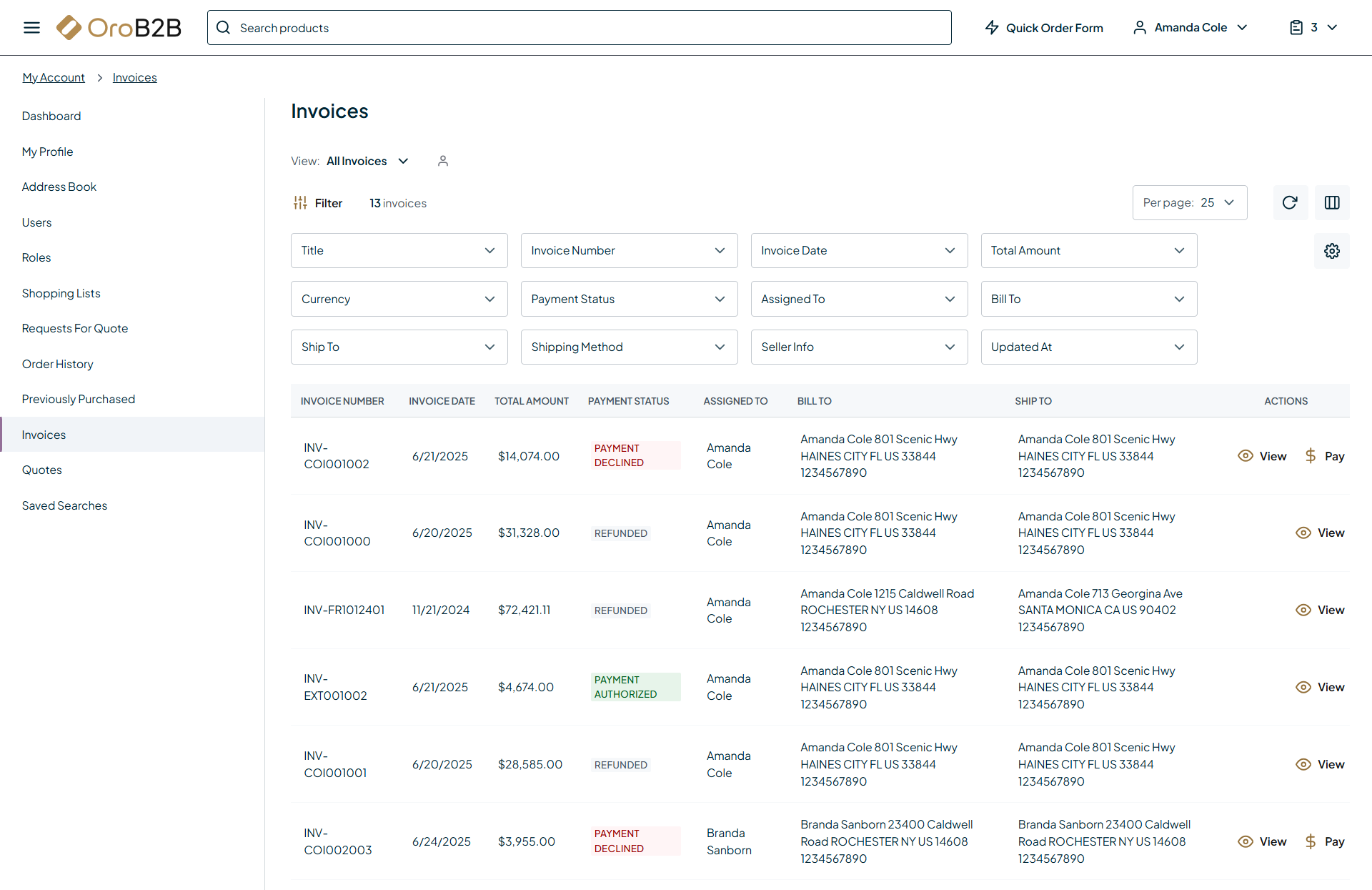
When the invoice functionality is enabled in the system configuration, you can view customer’s invoices under My Profile > Invoices in the storefront.

From the Invoices grid, you can:
View all invoices and their details, including the total amount and payment status.
Filter products by title, invoice number, date, payment status, etc.
View a specific invoice by opening its view page.
Pay directly from the grid.
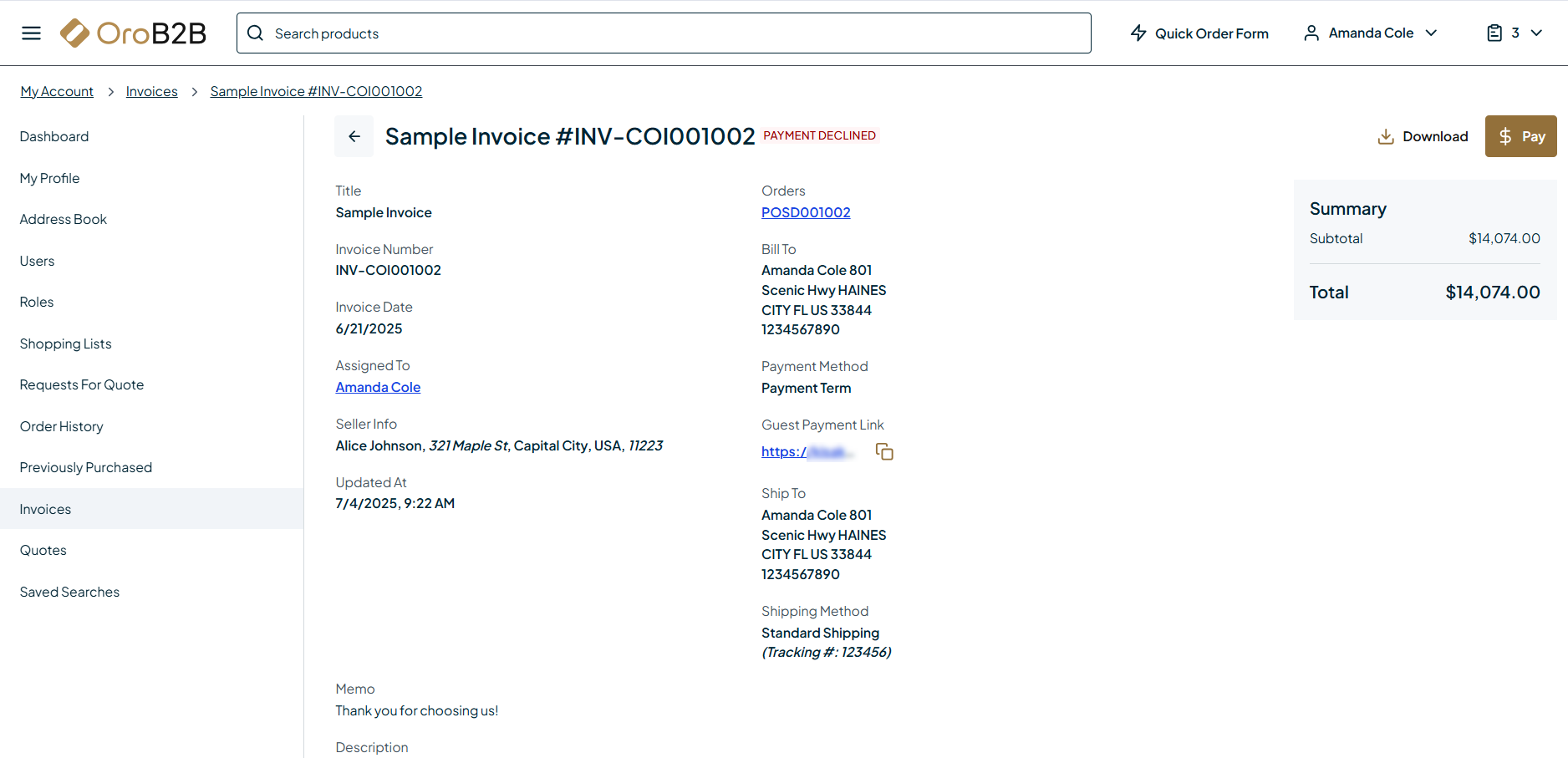
From the Invoices view page, you can:
View invoice details
Open the associated order
Access guest payment link
Download the invoice in the .pdf format
Pay the invoice
Hint
The ability to pay the invoice in the storefront is controlled by the Stripe Integration Element and OroPay in the back-office.
Related Articles