My Integrations
Note
This feature is available in the OroCommerce Enterprise Edition.
Hint
This section is part of the Integration Flows Concept Guide topic that provides a general understanding of Activepieces integration flows, how they work with OroCommerce, and the business processes that they can automate.
My Integrations opens your personal workspace in Activepieces, a third-party automation platform that is embedded in the OroCommerce back-office. In this workspace, you can build and manage your own integration flows. For example, you can create a flow that sends you a notification when a record is assigned to you.
The flows that you create in My Integrations run on your behalf and with your permissions. Flows that are shared by the whole team are available in System Flows.
Note
My Integrations is available when an administrator has enabled Integration Flow Designer and has granted your role the My Integrations permission.
To reach My Integrations:
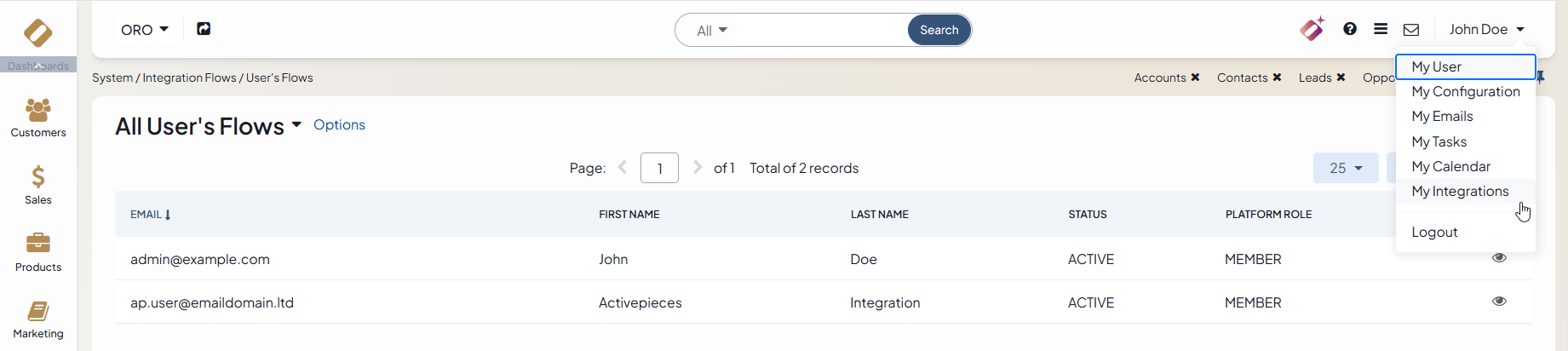
Click on your user name at the top right of the application page.
Click My Integrations.
The first time you open My Integrations, the application creates your Activepieces user. If an administrator has enabled the Enable Connection Autocreation For Users setting, the application also creates the connection to OroCommerce automatically. As a result, you can create flows immediately, without connecting Activepieces to OroCommerce manually.
From the My Integrations page, you can:
Related Topic: