Integration with Activepieces
Note
This feature is available in the OroCommerce Enterprise Edition.
Hint
Please contact our support team for more information on available integration options. You can also visit our extensions store to explore other integrations and extensions.
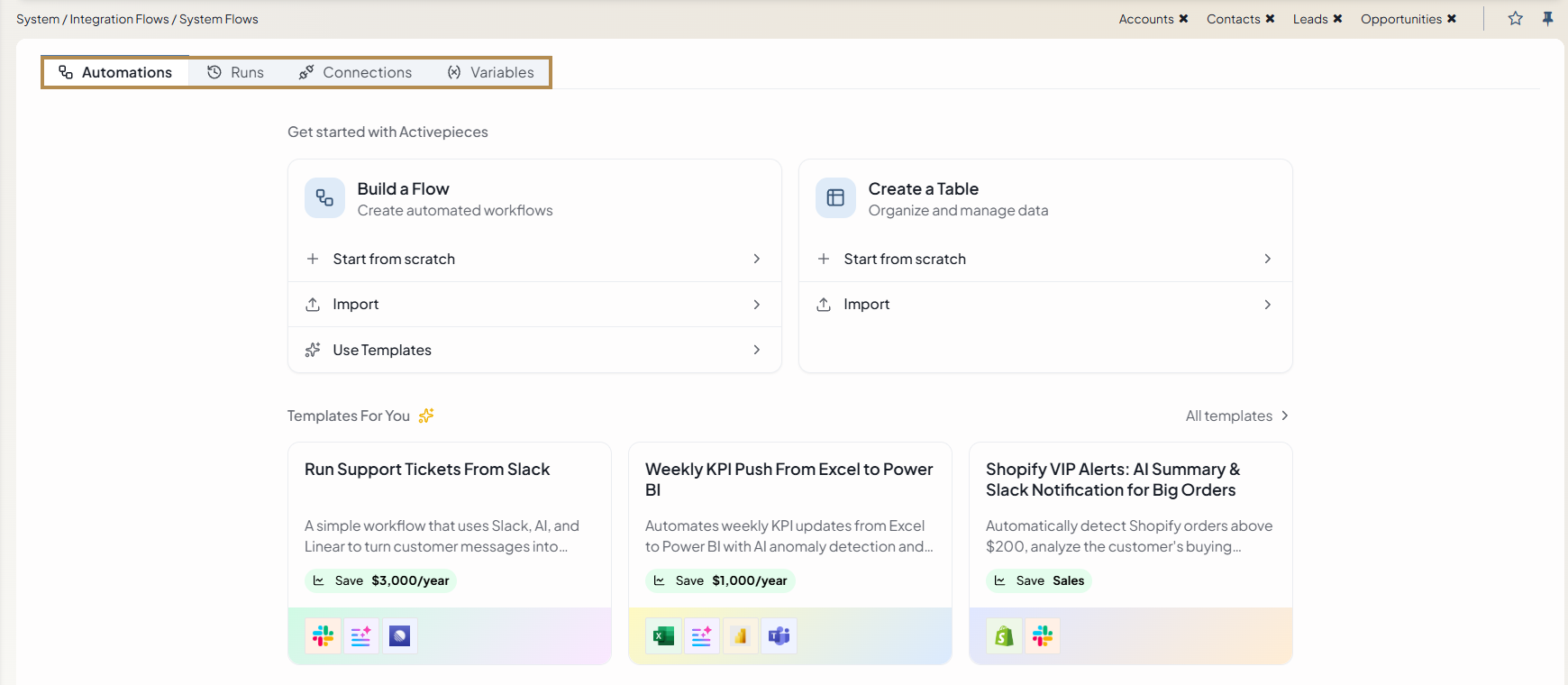
Oro offers integration with Activepieces, an open-source automation platform that connects business applications and coordinates the exchange of data between them. Through Integration Flow Designer, OroCommerce embeds Activepieces directly in the back-office. As a result, your team can design, publish, and monitor automated workflows in a visual builder, without writing code and without leaving the Oro application.
Commerce operations typically depend on several systems, such as an accounting application, a CRM, a ticketing system, and a team messaging tool. Keeping the data in these systems consistent often requires manual work or custom development. The integration with Activepieces reduces both, because it connects OroCommerce and the surrounding systems through ready-made connectors that your team configures in the back-office.
How It Works
Each automated workflow in Activepieces is called a flow. A flow begins with a trigger, which is an event in OroCommerce or in a connected application, such as the creation of an order. After the trigger, the flow evaluates the received data against the conditions that you define, for example, whether the order total exceeds a specified amount, and then performs one or more actions, for example, sending a message to a Slack channel.
Activepieces records every run of a flow, including its duration and the data that the run received. For this reason, your team can review the result of each automation at any time and identify the step that requires correction.
Activepieces provides more than 700 ready-made connectors, which it calls pieces. The connectors cover communication tools, accounting systems, CRMs, ticketing systems, and other business applications, such as Slack, Jira, HubSpot, QuickBooks, and Gemini. A single flow can combine several of these connectors with the OroCommerce connector.
What You Can Automate
The integration supports the following types of automation.
Synchronize Data Between OroCommerce and Other Systems
When OroCommerce does not provide a built-in connector for a system, or when you prefer not to develop one, a flow can exchange the data between the two systems instead. A flow can receive data from an external system, transform it, and create the corresponding record in OroCommerce. In the opposite direction, a flow can send OroCommerce data to the external system. As a result, you can keep two systems synchronized in both directions.
For example, you can configure flows that:
Create an order in OroCommerce when a sale is completed in an Instagram shop.
Send a new OroCommerce customer to HubSpot.
Copy new QuickBooks invoices to a CRM.
Notify the Right People About Events in Your Store
A flow can react to an event in OroCommerce and notify the people who are responsible for the next step. This shortens the time between an event and the response of your team, and it removes the need to monitor the back-office manually.
For example, you can configure flows that:
Send a Slack message when an order with a high total value is created.
Notify a Slack channel or an email group when an order is created.
Notify a sales representative when a record is assigned to them.
Add AI to Your Business Processes
After you add the API keys of your AI services to Activepieces, your flows can summarize text, classify data, and generate text and images. This allows you to include AI-assisted steps in a process without developing a separate integration for each AI service.
Note
A flow that uses an AI service sends data to this third-party service. Review the data that the flow sends before you use the flow in production.
Access Control and Visibility
Administrators control who can work with integration flows. For each role, an administrator can allow or deny access to system flows, to personal flows, and to the review of the flows of other users. A user with the permission to review the flows of other users can open a flow of any user who has opened Activepieces and see how the user configured it.
Together with the history of runs, these controls give your organization a clear record of which automations exist, who owns them, and how they perform.
Custom Connectors
The catalog of Activepieces connectors continues to grow. If your company uses a system that the catalog does not include, an administrator can install a custom connector for it in the Oro application. Installing a custom connector does not require an OroCommerce release or the work of OroCommerce developers, which allows your company to connect its own systems at its own pace.
Related Articles